

The Front channel brings customer conversations from your Front inboxes into a Reos project. Once they are in Reos, support threads are research data: Reos pulls out observations, groups them into insights and links every insight back to the conversations it came from.
Reos only reads from Front. It never sends messages, changes conversations or writes anything back to your Front workspace.
What you need
- A Reos account with permission to edit the project.
- A Front account that can see the inboxes you want to import. Front only lets company admins authorize apps, so a Front admin has to do the connect step.
Connect Front and create the channel
-
In your Reos project, open Ingest → Channels and choose Create channel → Front.
-
Connect. Select Connect Front. A Front window opens and asks you to authorize Reos (sign in as a Front admin). Once you approve, the wizard moves on by itself.
-
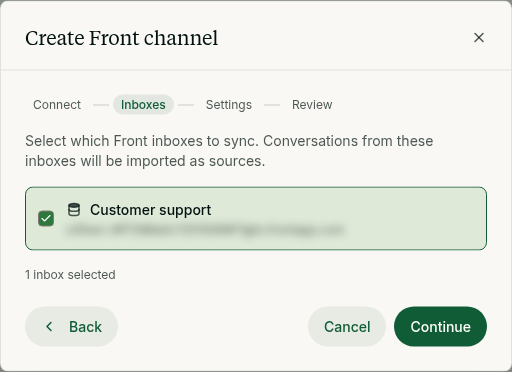
Inboxes. Pick the Front inboxes to import from. Only conversations in these inboxes are read.
-
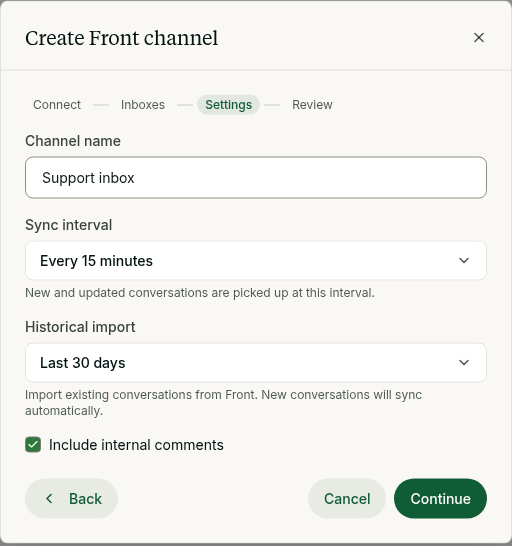
Settings.
- Channel name, as it shows in Reos.
- Sync interval: how often Reos checks Front for new activity (every 5, 15, 30 or 60 minutes).
- Historical import: how far back to import existing conversations (none, 7, 30 or 90 days).
- Include internal comments: off by default. Turn it on to import your team's internal comments next to the customer messages.
-
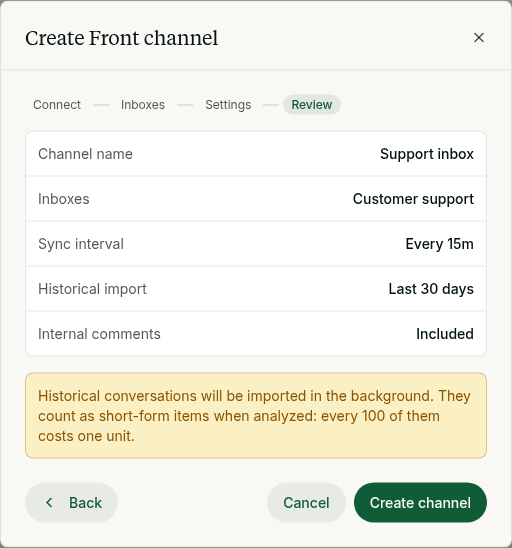
Review the summary and select Create channel.
What gets imported
Each Front conversation becomes one text source in Ingest → All data, named after its subject. It holds:
- the messages, oldest first, with who wrote each one (the customer or the teammate who replied);
- the conversation status, assignee and tags;
- internal comments, only if you turned them on.
Drafts are never imported, and neither are discussions or tasks (teammate-only threads with no customer in them).
When a conversation gets a new message or comment, Reos updates the source at the next sync, so the source always holds the whole thread. Conversations nobody has touched are not read again.
Keeping in sync
Reos checks the selected inboxes at the interval you chose and imports every conversation with new activity. The channel page shows when it last synced and how many conversations it holds.
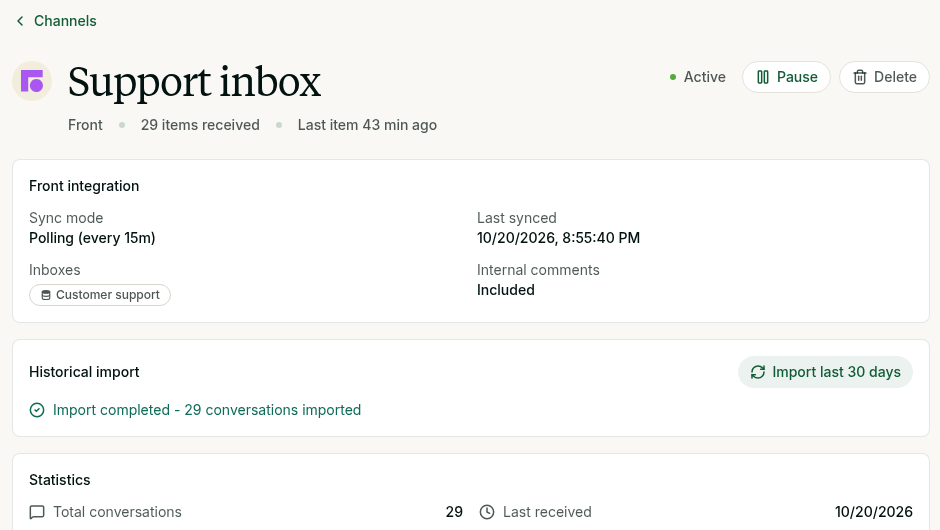
A large historical import runs in the background and can take a while, because Reos stays within Front's API rate limits. Its progress shows on the channel page. If an import stops (for example because your organization ran out of units), select Import last 30 days to run it again. Conversations already imported are skipped.
Privacy
Imported conversations follow your project's anonymisation settings, like every other source. If anonymisation is on, names and contact details are redacted before anyone sees the text.
To stop syncing, delete the channel in Reos. To revoke access completely, also remove Reos from the connected apps in your Front settings (or ask a Front admin to).
Troubleshooting
- "Could not load your Front inboxes" or a sign-in message: reconnect Front under Settings → Integrations in Reos, then open the wizard again.
- No inboxes listed: your Front account cannot see any shared inboxes. Ask a Front admin to give you access to the inboxes you need.
- "Some Front conversations could not be synced" on the channel page: Reos tries again at the next sync. If the message stays for more than an hour, contact support.